by K7
Platform:
 Windows 10 / 8.1 / 8 / 7 / Vista / XP
 (1039)
Buy:
156 used & new from 350.00
(Visit the Bestsellers in Software list for authoritative information on this product's current rank.)
Click Here for Shop
Windows 10 / 8.1 / 8 / 7 / Vista / XP(1039) Windows 10 / 8.1 / 8 / 7 / Vista / XP(855)
Google Docs offers hundreds of add-ons to make document creation easy and help you be more productive. However, if you are a Chrome user, then you also have access to Google Docs Chrome extensions that work with Google Docs for a better experience.
Most of these Google Docs Chrome extensions offer features that Google Docs add-ons can’t offer. So it’s a good idea to embrace these extensions to get more from Google Docs. In today’s post, I’ll share 8 of my favorite Google Docs Chrome extensions.
A must-have extension for all the productivity fanatics. As the name suggests, Google Docs Quick Create lets you open up a new document with a single click. Just click on the extension button and then “New Document” to launch a new Google Docs document and start editing.

I personally don’t like the Gmail email editor for typing long emails. If you feel the same, then this extension is for you. Just craft your email in a Google Docs document and take advantage of all the formatting tools. Afterwards, click on the “Open in Gmail” button and the document will be converted to a Gmail draft with all the formatting and images intact.

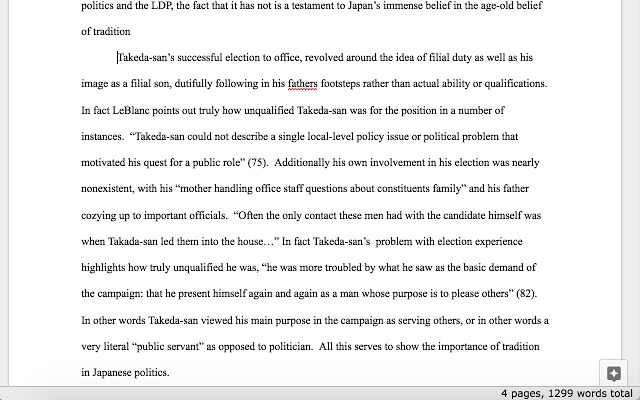
If word count matters to you while creating documents, then this extension will make sure you coincide with the recommended word count. The extension simply shows your current word count and page count at the bottom-right corner. It’s definitely much productive than using word count shortcut (Ctrl+Shift+C) after every paragraph.
If you collaborate often, then DocuViz will help you keep track of who edited what and when. It color codes content depending on who editing it and also shows exact time when it was edited. Interestingly, it also enhances the revision history feature of Google Docs to show the complete history in a flow view along with how each member contributed.

Line numbering makes it easy to print documents, and pinpoint specific sentences while working on a long document. However, Google Docs doesn’t natively support line numbering. You can get this extension to add line numbers for easy navigation. The extension is also highly customizable, you can select after how many lines a line should be numbered and offers dedicated buttons to print documents.

Creating comments in Google Docs is easy, but it gets a little hard to keep up with comments when multiple people start commenting. This is where Comment Visualizer extension will help you. It adds an indicator to all pending comments and also color codes comments by different authors. It also makes it easy to edit comments by properly highlighting them.

If you don’t have Microsoft Office suite but still need to edit Word, Excel or PowerPoint files, then this free extension is perfect for you. Particularly talking about Google Docs, this extension lets you open Microsoft Word files in Google Docs and edit it. The files will be saved in Microsoft Word format and you can even edit documents offline.

The extension adds a bunch of ease-of-use features to Google Chrome to easily navigate the web. However, it also supports Google Docs, so you might like it for that purpose. The features it adds include, text-to-speech (vice versa), text dictionary, next word prediction, summarize documents, and create voice notes. Unfortunately, the extension comes with a 30-day free trial and afterwards you’ll have to pay $2/month to keep using the features.

So these were some Chrome extensions that should improve your Google Docs experience. I am personally using the 1st, 2nd and 4th extension in this list as of now, although I do find others to be useful occasionally.. Which one of these Google Docs Chrome extensions do you like? Do share with us in the comments below.
The post 8 Google Docs Chrome Extensions You Simply Can’t Miss appeared first on Google Tricks Blog.
 JustDecompile is a very useful software tool for .NET developers, allowing them to easily recover any lost source code or examine assemblies in order to find the source of an external bug. JustDecompile can also be used to create and build Visual Studio projects from a decompiled assembly, as well as to extract resources (such as icons, images and ...


 Zortam Mp3 Media Studio is an all-in-one Mp3 application suite. The application has several modules such us Zortam Mp3 Auto Tagger, Mp3 Organizer, ID3 Tag Editor, Mp3 Player, Mp3 Normalizer, CD Ripper and Mp3 to Wav converter. Key Features Include: With Zortam Mp3 Media Studio you can batch auto tag your Mp3 files using Zortam's database. The...


 Calibre is a complete e-book library manager that lets you totally organize your collection. With Calibre you can convert your books to multiple formats, and then sync with all of your devices. KEY FEATURES INCLUDE: Library management. Calibre keeps things orderly by creating single entries for books, which contain multiple formats. Calibr...


 Calibre is a complete e-book library manager that lets you totally organize your collection. With Calibre you can convert your books to multiple formats, and then sync with all of your devices. KEY FEATURES INCLUDE: Library management. Calibre keeps things orderly by creating single entries for books, which contain multiple formats. Cal...


