What I am about to say might sound controversial, but sometimes we need to protect our mobiles from even our near and dear ones. For all you know, your adolescent son or snoopy friend might be making attempts to get access to your phone data. If you want to catch someone red-handed trying to access your phone, then I might just have the solution.
In this article, I plan to review three Android applications that actually capture an image of people who try to unlock your phone and fail. Let’s get straight to them.
After installing the app, you will first have to provide the required permissions to the app in order to work. This includes device storage and the ability to take pictures and record video.

Then comes the email setup. You can set the app such that you receive an email whenever someone tries to unlock your phone and fails. It’s optional, but can be very useful to be immediately notified via email.

And in the final step, you have to provide the app administrator rights.

To use the app, Simply tap on the button marked “START” and it will start monitoring for failed unlock attempts.

Now close the application and you are all set. Close the phone and make a couple of attempts to unlock it by providing the wrong pattern or password. And then give the correct one and unlock the phone.
The app immediately tells me there have been two attempts to unlock my phone along with the date and time. And when I opened the app, it showed multiple images that were taken on each wrong attempt to unlock the phone.

Although it only captured half of my face, but it is mostly an angle error rather than an app issue. Even then, the picture is clear enough to identify who took the photo and when.
As in the previous app, Lockwatch also asks for several permissions. You can see them in the below screenshots.

The main difference with Lockwatch app is that the images get sent to your email id alone, it doesn’t get saved to device storage. And along with the image, it will also send the exact location of your phone when the image was taken (particularly good for catching a thief).
You just need to provide your email to set it up. After setting up, I did receive the email from Lockwatch in time and I also found the quality of the image and the location accurate. Here is a screenshot of the image I received through email.

You get a complete image of the face via email along with the location of the phone that can be opened on your default map app.
The modus operandi seems to be the same. You’ll have to provide the required permissions to make the app work.
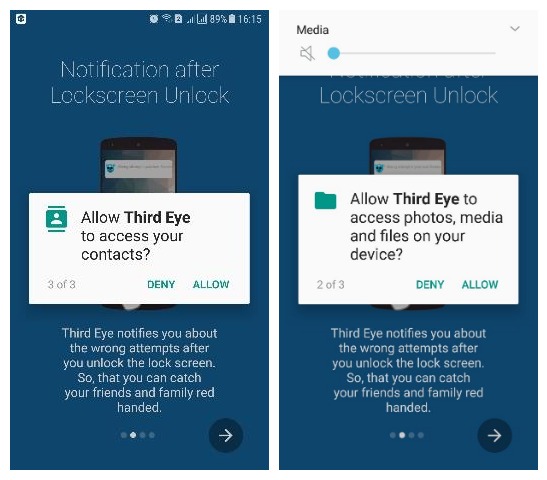
No need to start or stop anything like the first app. Just close the application and make a couple of incorrect attempts to unlock your phone. Finally, when you unlock correctly and open the app you will get an image of the person who made the attempts to intrude right inside the Third Eye app.

The quality of the image is not as good as the one we got with the Lockwatch app, but the face in the image is pretty clear and identifiable.
Ending thoughts
Third Eye and Who Unlocked My Phone both have a similar working pattern. They both save the photo inside the app and show it as a notification when the phone is unlocked with the right password. Although lock watch is a more sneaky option, that silently sends the photo to your email without the intruder knowing. And it’s location tracking feature can be very useful if your phone gets stolen.
Do let us know in the comments if any of these apps help you catch the person who was trying to break into your phone.
The post Anyone Tried to Access Your Phone? These 3 Android Apps Can Tell appeared first on Gtricks.

via Gtricks https://ift.tt/2YihxX9
 Prism Video Converter is an easy to use utility, which is able to convert video media from one format to another. All the standard formats are supported, including some uncommon ones and the conversion process can be undertaken individually or in batches. KEY FEATURES INCLUDE: Preview original video files. Adjustable output settings. Batch...


 Black Friday Starts Early - Save up to 40% Corel’s Paintshop Pro X8 is a comprehensive photo-editing application that allows you to create your best photos ever. Paintshop Pro X8 has smarter editing features, faster brushes, new creative tools and easier color selection. Paintshop Pro X8 is a complete photo-editing application, which helps you...


 Plex Media Player is designed to be installed on a dedicated computer (PC, Mac and Linux versions are available) connected to your TV, and allows you to access your entire media library and enjoy it on a big screen. It offers built-in support for local storage (on your PC or network attached storage) as well as for content stored on Plex Media Serv...


 With Nitro Pro you can open, review, covert and create PDF files. It also comes with stacks of features that make Nitro Pro one of the better PDF applications out there. You can comment, review, and collaborate all your work. It lets you fill and save PDF forms, and extract text and images. Nitro Pro also has support for QuickSign, to electronica...


